Airbnb Check In Message Template
Use these Airbnb check in messages to reduce arrival questions without sending the door code too early. The post includes templates, timing rules and a safer conditional flow for small hosts.
The short version
- Send logistics early, but release the door code late and only when the booking is ready for access.
- Keep the arrival message short, operational and easy to scan on a phone.
- Use one trusted pre check in link for the guidebook, permitted registration steps and status updates.
- Do not introduce surprise fees, ID requests or house rules in a check in message.
- Small hosts with 1 to 10 units can automate reminders and access release without adding enterprise complexity.
An airbnb check in message template should do three things: reassure the guest, stop repeat questions and protect access to the property. The best rule is simple: send logistics early, send access details late and send the door code only when the reservation and any disclosed pre check in requirements are complete.
Airbnb says guests can usually find check in information in their trip details close to arrival, and Airbnb host guidance says guests can access check in instructions 48 hours before check in, or 24 hours before if the listing has a flexible cancellation policy. You still need a clear Airbnb inbox message, because guests check messages first when they are tired, travelling or unsure where to go. Source this in your own process from the Airbnb Help Center guidance on check in instructions and the Airbnb Resource Center advice on welcoming guests.
Airbnb check in message template quick answer
Use this core message when you want a safe, short Airbnb check in instructions message. It avoids the two mistakes that cause most arrival problems: hiding practical details until too late and sending the access code before the stay is ready.
Hi {first name}, we are looking forward to hosting you at {property name} from {check in date}.

Your arrival guide is here: {guidebook link}

Check in is from {check in time}. The full address is {address}. Parking is {parking summary}.

Your access code will be sent {timing}, once any required pre check in steps shown in the listing are complete. The code works from {activation time}.

If anything is unclear, please message me in this Airbnb thread and I will help.
The access code is not a welcome message. It is the final step after the stay is ready for entry.
For a small host, the message has to be plain enough for a guest reading it at the airport, in a taxi or outside the building. Put long content in the guidebook. Keep the inbox message for what the guest needs to do next.
The best Airbnb check in message sequence for small hosts
For 1 to 10 units, the best workflow is not one giant message. It is a short sequence, with automation for predictable steps and manual attention for exceptions.
| Timing | Message | Automate it | Send access code | Purpose |
|---|---|---|---|---|
| At booking | Confirmation | Yes | No | Set expectations and stop early code questions |
| 3 days before arrival | Airbnb pre check in message | Yes | No | Share guidebook and any disclosed required steps |
| 1 day before arrival | Airbnb before check in message | Usually | Only if your security policy allows it | Confirm address, parking and arrival window |
| Morning of arrival | Day of check in message | Conditional | Yes, if ready | Send code, lock location and help route |
| 1 to 2 hours after check in | Welcome check | Yes | Not needed | Confirm the guest got in and reduce anxiety |
| Evening before checkout | Checkout reminder | Yes | Not needed | Keep checkout simple and avoid surprise chores |
Use Airbnb scheduled quick replies for simple timed messages. Airbnb says hosts can create quick replies and schedule them for moments such as after booking or before check in, according to Airbnb quick replies guidance. Use conditional logic for the access code, because a timed message cannot always know whether ID, registration or permitted payment status is complete.
What to include in check in instructions and what to leave out
The check in message is not the house manual. It is the operational arrival note. If it is too long, the guest misses the one line that matters.
| Item | Include in message | Put in guidebook | Why it matters |
|---|---|---|---|
| Full address and unit | Yes | Yes | Guests need it for taxis and maps |
| Check in time | Yes | Yes | Prevents early entry assumptions |
| Code activation time | Yes | Yes | Stops guests testing codes too early |
| Door code or lockbox code | Day of arrival, or once ready | Optional | Reduces risk if plans change |
| Parking instructions | Short version | Full version with photos | Parking causes many arrival messages |
| Wi Fi password | Short version after access | Yes | Useful once inside, not before |
| Photos or video | Link only | Yes | Keeps the inbox readable |
| House rules | No, except one urgent safety point | Yes | Rules should be disclosed before booking |
| Checkout chores | No | Yes, if reasonable and disclosed | Surprise tasks create complaints |
| Local recommendations | No | Yes | Nice content, but not arrival critical |
Do not use the check in message to add new conditions. Airbnb states that prices should be fully disclosed before booking and that mandatory fees and payments for current, future or repeat bookings must usually stay on Airbnb, with stated exceptions in its pricing and payment transparency policy. Airbnb also limits the personal information hosts can ask guests to provide, including rules around ID checks, third party apps and critical access, in its policy on asking guests for personal information.
Template 1 booking confirmation message that prevents code questions
This is the message that saves you from the classic question, “Can you send the code now?” It reassures the guest without weakening your access controls.
Hi {first name}, thanks for booking {property name}. Your stay is confirmed for {check in date} to {checkout date}.

Check in is from {check in time} and checkout is by {checkout time}.

A few days before arrival I will send one arrival link with the guidebook and any required pre check in steps that were shown before booking. Your access details are sent after those steps are complete and the code is ready for your arrival time.

Please keep any questions in this Airbnb thread so everything is recorded in one place. We look forward to hosting you.
For Airbnb bookings, avoid language that sounds like the guest must pay somewhere else. If a permitted deposit, local tax, registration form or in person ID check is required, it should already be disclosed in the right place before booking. For direct bookings, you can be more direct about payment status because you control the booking flow.
Template 2 pre check in message with guidebook link
The pre check in message is where guest trust matters most. Travellers are rightly careful with links that ask for ID, selfie images, payment or deposits. The UK National Cyber Security Centre tells people not to click suspicious links or enter information if a message looks suspicious, so your wording should make the link feel expected, limited and verifiable. See the NCSC guidance on phishing.
Hi {first name}, your arrival guide for {property name} is ready: {secure link}

This link includes the house guide, parking details and the required pre check in steps for your stay. It usually takes about {time needed} to complete.

For Airbnb bookings, this only covers requirements that were disclosed in the listing or are required by law, building security or local registration rules. No Airbnb booking payment is requested through this link.

Once the required steps are complete, your access details will be released at {release time}. If you are unsure about the link, message me here in the Airbnb thread before completing it.
If you collect guest registration data in the UK, remember that the legal position can vary by guest type and property use. The UK rules for hotel and similar guest records are set out in the Immigration Hotel Records Order 1972. If you collect personal data, keep it limited and do not retain it longer than needed, in line with the ICO data minimisation guidance.
Template 3 day before check in instructions message
The day before arrival message should be skimmable. The guest is packing, travelling or coordinating with family. Give labels, not paragraphs.
Hi {first name}, here are the key details for tomorrow at {property name}.

Address: {address}
Check in time: from {check in time}
Parking: {parking summary}
Access method: {smart lock, keypad, lockbox or concierge}
Guidebook: {guidebook link}
Wi Fi: shown in the guidebook and inside the property
Help: message here or call {phone number} if urgent

Your access code will follow {when code sends}. It will work from {activation time}. If your pre check in is not yet complete, please finish it here: {secure link}
If the guest has already completed everything, change the final lines to this:
Hi {first name}, everything is complete for your arrival tomorrow.

Your guidebook is here: {guidebook link}

Your access code will be sent at {release time} and will work from {activation time}. Parking is {parking summary}. If your arrival time changes, just message me here.
Do not send the code casually at booking. For smart locks, use unique codes, rotate them between stays and set an activation window. For lockboxes, rotate the code whenever practical and avoid using the same code across units.
Template 4 day of arrival door code message
The day of arrival message is short because its job is entry. Not education. Not marketing. Not a full guidebook.
Hi {first name}, you are all set for check in today at {property name}.

Check in: from {check in time}
Address: {address}
Parking: {parking reminder}
Access: {keypad or lockbox location}
Code: {code}
Code activation: it works from {activation time} exactly
Guidebook: {guidebook link}

If the code does not work, check the time first, then try {first fix}. If you are still stuck, message here or call {urgent phone}. I will stay with you until you are inside.
The exact activation line matters. Guests often test the code early. If the code starts at 3 pm, say it works from 3 pm exactly. If you allow early check in, send a fresh message that states the new access time.
Templates 5 to 7 for reminders, late arrivals and access problems
These are the messages that keep problems calm.
Hi {first name}, a quick reminder that your access details cannot be released yet because {missing item} is still incomplete.

Please complete it here: {secure link}

This requirement was included for {reason, such as building registration or local rules}. Once complete, your access code will be released at {release time}. If you need help, reply in this thread.Hi {first name}, late arrival is fine. Your code works from {activation time} and the entrance is {entrance description}.
Please keep noise low in the shared areas after {quiet time}. If you have any trouble getting in, message here or call {urgent phone}. The full arrival guide is here: {guidebook link}I am sorry, let us get this sorted now.
Please check that you are at {correct door or entrance} and that the code is entered as {format}. If it is before {activation time}, the code will not work yet.
If that does not fix it, use the backup option: {backup option}. I will stay on this chat until you are inside.Worked examples for common host setups
City apartment with smart locks and paid parking
At booking, confirm the stay and explain that access follows completed pre check in. Three days before arrival, send the guidebook with paid parking instructions and any disclosed steps. The day before, send the address, bay number or car park name and arrival window. On the morning of arrival, send the smart lock code only if the stay is complete and the code is set to activate at check in time.
Guidebook content: car park photos, lift route, bin store, heating and Wi Fi. Condition before code: reservation confirmed, required steps complete, code generated and activation time checked.
Countryside cottage with lockbox and weak mobile signal
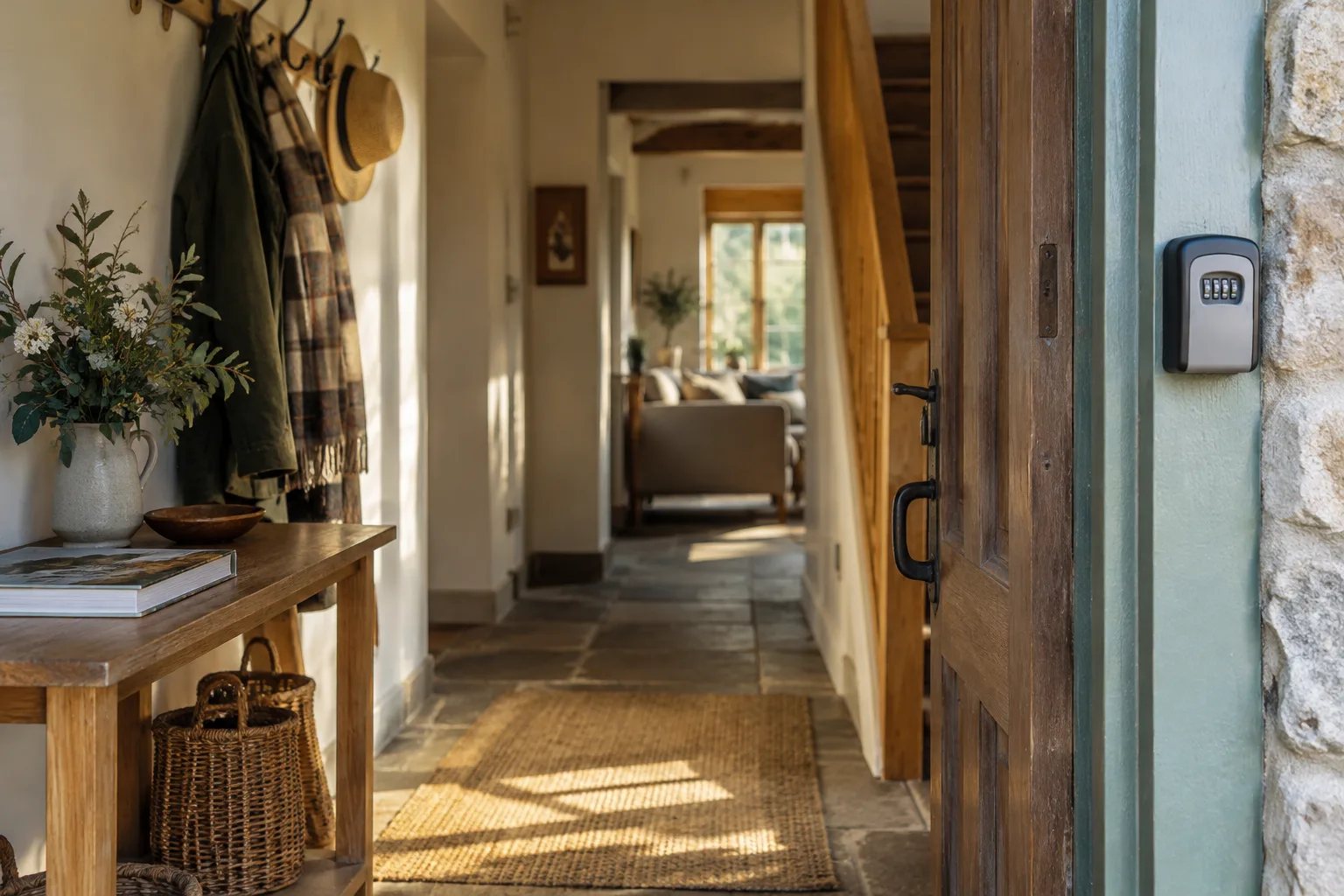
At booking, warn guests that mobile signal is poor near the cottage and ask them to save the arrival guide before travelling. Three days before, send directions in plain language as well as the map link. The day before, send the lockbox location but not the code unless your policy allows it. On the day, send the code early enough for the guest to save it before losing signal.
Guidebook content: photo route from the lane, torch advice, heating, fuse box and nearest shop. Condition before code: registration complete, code rotated and backup key plan ready.
Apartment building with concierge and ID registration
At booking, state that the building requires registration if that requirement was disclosed before booking. Three days before, send the registration link and explain why the building needs it. The day before, send concierge opening hours and what name the reservation is under. On the day, send the final entry note after registration is confirmed.
Guidebook content: reception desk photos, lift access, rubbish room, gym rules and emergency exit. Condition before code or concierge release: building registration accepted and arrival time confirmed.
Where automation fits for safer check in
The hard part is not writing one nice Airbnb check in message example. The hard part is sending the right message only when the stay is ready.
For small professional hosts, the useful workflow is: booking confirmed, send one pre check in and guidebook link, track required ID or registration, track permitted payment or confirmation status, release the door code at the chosen hour only when complete, send reminders if incomplete and alert a person if it is still unresolved on arrival day.
That is the point of how it works in YourFrontDesk: one link per stay for payment, ID and the guidebook, with the door code released at the chosen hour only after payment and ID. For hosts with a few flats, cottages or rooms, it sits between every channel calendar and the guest, so you are not manually chasing forms while also handling cleaners and last minute questions. If you want to see the flow before changing anything, use the instant demo, review pricing or see the page for hosts and managers.
Airbnb policy and guest trust notes hosts should not skip
Trust is part of check in. If the guest feels surprised by a link, a payment request or an ID upload, you have already made the arrival harder.
Keep communication in the Airbnb thread where possible. Explain why any link is being sent, what it asks for, how long it takes and what happens next. Do not ask for unnecessary sensitive data. Do not require a guest to install an app if the platform or your listing requires an alternative access route.
Be especially careful with payments. Airbnb says mandatory fees and payments for current, future or repeat bookings must generally take place on Airbnb, with defined exceptions, and that mandatory fees should be disclosed before booking in the right pricing field. For direct bookings, you can use your own hosted payment and pre check in page, but the wording should make that clear.
Also do not add new checkout jobs or house rules in the check in message. On 22 October 2026, AP reported Airbnb policy changes due to start on 20 November 2026 that limit checkout chores and require rules and requests to be disclosed before booking. The details matter, so hosts should read the current Airbnb policy in their own account as well as the AP report on Airbnb checkout chore changes.
Saved message audit checklist
Before you trust a saved message, audit it like an operator.
Check every placeholder: {first name}, {property name}, {address}, {check in time}, {checkout time}, {code}, {guidebook link}.
Confirm the message does not send a code before the code is active.
Confirm the message does not request an Airbnb payment outside Airbnb unless a permitted and disclosed exception applies.
Confirm any ID or registration wording matches your listing, your local rules and your data retention process.
Add a fallback contact and a backup entry route.
Keep photos, videos, appliance notes and local recommendations inside the guidebook.
Test the guest journey on a phone, not just on your laptop.
Recheck every saved message whenever Airbnb policy, building rules or your lock setup changes.
Next steps
Start with the core template, then build a sequence around it: booking confirmation, pre check in, day before arrival, day of arrival access and a calm access problem reply. The safest setup is not more words. It is better timing, clearer conditions and fewer surprises.
If you want to see this flow working with guidebook, ID, payment status and door code release in one place, try the instant demo.
What people ask next
What should I write in my Airbnb check in message?
Write the address, check in time, parking summary, access method, code activation time, guidebook link and urgent contact route. Keep it short and put photos, appliance notes and local recommendations in the guidebook.
When should I send Airbnb check in instructions?
Send logistics a few days before arrival, a shorter reminder the day before and the access code on the day of arrival or once the stay is ready. Do not rely on one long message at booking.
Does Airbnb send check in instructions automatically?
Airbnb can show check in instructions in the guest trip details close to arrival, depending on the booking and cancellation setup. Hosts should still send a clear inbox message because guests often look there first.
Should I send the door code before check in?
Usually not at booking. Send the code close to arrival, with an activation time, and only after required disclosed steps are complete.
Can Airbnb hosts ask for ID before check in?
Sometimes, but the requirement should be disclosed before booking and should fit Airbnb rules, local law and building rules. Hosts should avoid collecting more personal data than they need.
Can Airbnb hosts ask for payment outside Airbnb?
For Airbnb bookings, mandatory fees and payments for current, future or repeat bookings generally need to stay on Airbnb unless Airbnb allows a specific exception. Direct bookings can use a host payment flow because they are not Airbnb reservations.
What do I say if a guest has not completed pre check in?
Be polite and specific. Tell them what is missing, why it is required, where to complete it and that the access code can be released once it is done.
How do I automate Airbnb check in messages?
Use scheduled quick replies for simple timed messages and a conditional process for door code release. The access message should depend on the booking being ready, not just on the clock.