Airbnb Cleaning Schedule for Managers
A practical operating guide for building an Airbnb cleaning schedule from live bookings, not screenshots. Includes a daily dispatch template, cleaner capacity rules, same day turnover triage and exception scripts.
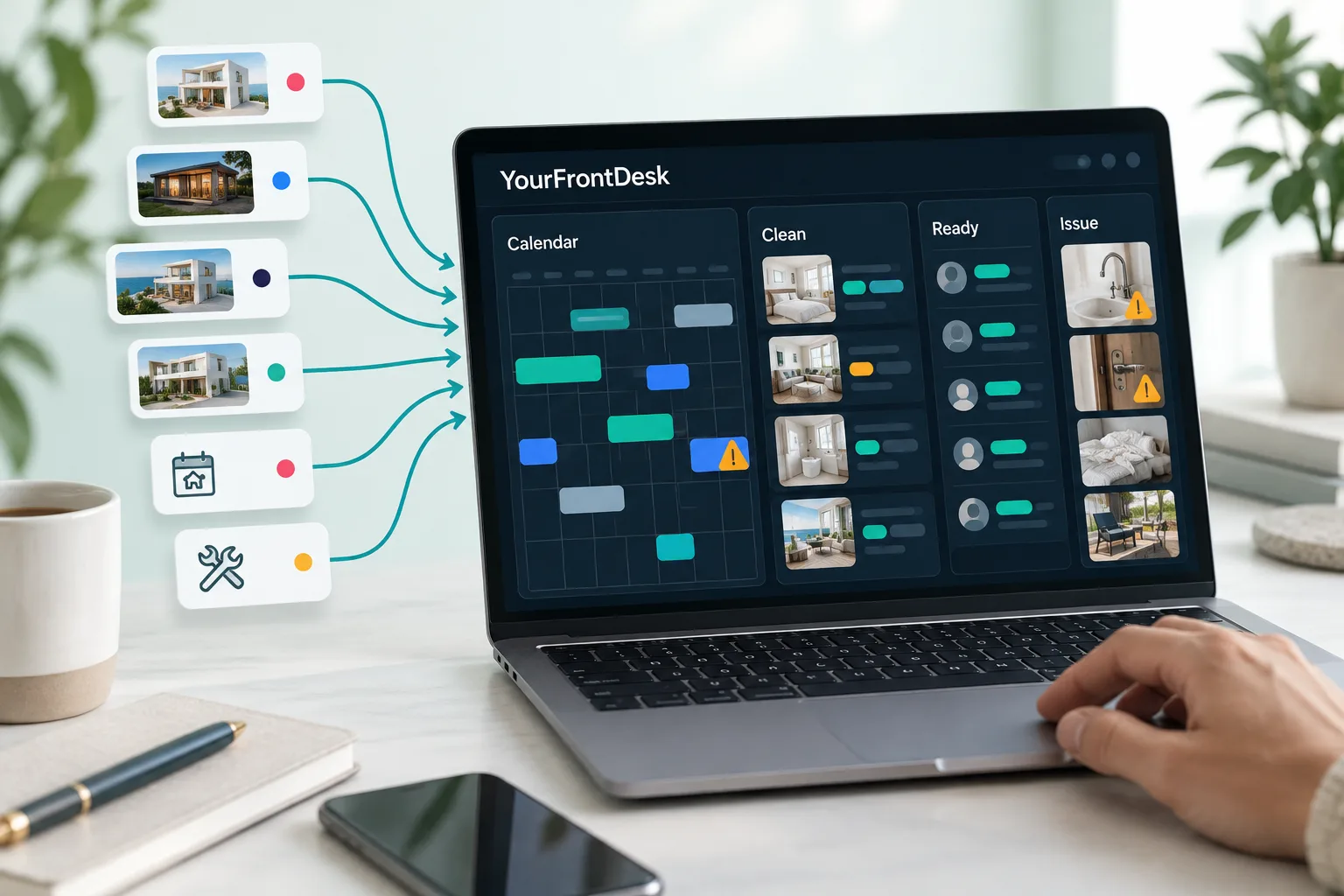
The short version
- An Airbnb cleaning schedule is not a room checklist, it is a dispatch system that turns every checkout into a dated, assigned and tracked task.
- Same day turnovers must be prioritised before flexible cleans because the cleaning window is fixed and there is no recovery time.
- Cleaner capacity should be planned from measured room counts, travel time, linen model and inspection time, not from listing count alone.
- Live calendars reduce missed cleans because booking changes, cancellations, owner blocks and maintenance blocks update the same operating view.
- Proof of readiness should include status, timestamped photos, issue reporting, supply restock notes and owner evidence.
An Airbnb cleaning schedule should tell you exactly which property must be cleaned, by whom, by when and with what proof before the next guest arrives. For a property manager, the hard part is not writing another Airbnb turnover cleaning checklist, it is turning live bookings into a daily dispatch board that survives late checkouts, new reservations and several same day turnovers at once.
This guide is written for short let managers running a portfolio for owners. It gives you an Airbnb cleaning schedule template, the operating rules behind it and the point where an Airbnb cleaning schedule app becomes safer than a spreadsheet.
What an Airbnb cleaning schedule must do
A cleaning checklist tells a cleaner what to clean. A cleaning schedule tells the business what must happen today so every unit is guest ready.
Your schedule must answer these questions for every checkout: property, booking source, checkout time, next check in time, whether it is a same day turnover, assigned cleaner, access notes, linen needs, checklist, deadline, current status and proof uploaded.
The operating rule is simple: every checkout should create a turnover task unless the next event is a longer stay, owner block, maintenance block or agreed inspection only visit. If that task is not created, assigned and accepted, it is not real.
Airbnb lets hosts set check in and checkout times, with checkout needing a specific time that is 10am or later and guests needing to be able to check in by 4pm if a time window is set, according to Airbnb guidance on changing check in and checkout times. Airbnb also says that if a listing has not specified times, the default is 3pm check in and 11am checkout, according to Airbnb guidance for guests requesting early check in. Those platform rules are useful, but your own schedule still needs cleaner capacity behind them.
The schedule is not finished when the clean is assigned, it is finished when the unit is marked ready with proof.
The daily turnover workflow in one view
Use one daily board for operations, not one thread per cleaner. The board below is the core Airbnb cleaning schedule template.
| Property | Checkout | Next check in | Same day risk | Cleaner | Estimated duration | Linen status | Access | Status | Notes |
|---|---|---|---|---|---|---|---|---|---|
| Flat A | 10am | 4pm | Red | Maya | Large clean | Fresh set on site | Smart lock | Assigned | Pet stay, inspect sofa |
| Studio B | 11am | Tomorrow | Green | Ravi | Small clean | Laundry off site | Key safe | Accepted | Flexible clean before evening |
| House C | 10am | 4pm | Red | Team one | Large clean | Two sets needed | Smart lock | On way | Hot tub check |
| Flat D | 11am | 3pm | Amber | Unassigned | Medium clean | Unknown | Concierge | Issue | Late checkout requested |
| Cottage E | No checkout | Owner block | Green | None | Inspection only | Not needed | Owner key | Blocked | No turnover task |
| Flat F | 10am | No arrival | Amber | Lead cleaner | Deep clean add on | Full linen swap | Smart lock | Started | Owner approved deep clean |
Colour code it so nobody has to read every note. Red means same day and not ready. Amber means assigned but not accepted, or accepted but at risk. Green means ready with proof uploaded.
The board must be visible to the person answering guests, the person managing cleaners and the person speaking to owners. If those are different people, they still need the same truth.
Build the schedule from live bookings, not screenshots
Screenshots fail because they are dead the moment a booking changes. WhatsApp fails because the person with the newest message becomes the operating system.
Build your Airbnb cleaning schedule from live sources: Airbnb, Booking.com, Vrbo, Expedia, direct bookings, owner blocks and maintenance blocks. Airbnb explains that calendar syncing can help prevent multiple guests booking the same dates and says imported calendars update automatically every 3 hours, with a manual refresh option, in its guide to syncing a host calendar to other websites. Vrbo also says calendar synchronising helps prevent double bookings and lets hosts view reservations and blocked dates in one place, in its official calendar import guidance. Booking.com shows partners how to synchronise calendars across online travel agencies to prevent double bookings in its official calendar synchronisation guide.
Calendar sync alone is not enough. It blocks availability, but it does not always dispatch a cleaner, confirm acceptance, show linen status or prove readiness. That is why your booking system should turn every checkout into a turnover task, then update the task if the guest extends, cancels or moves dates.
If you need the calendar layer first, read our guide to sync Airbnb and Booking.com calendars.
How to calculate the cleaning window
The cleaning window is the time between checkout and check in, minus everything that is not cleaning.
Use this formula:
Usable cleaning time equals listed checkout to listed check in, minus travel, access delay, linen staging, laundry risk and final inspection.
A 10am checkout and 4pm check in looks like six hours. In practice, it may become four and a half hours after travel, key access, cleaner staging and inspection. The time itself is allowed by Airbnb rules if your listing is set that way, but the buffer is yours to create, as shown in Airbnb guidance on set check in and checkout times.
Do not set the window from your easiest studio. Set it from the largest likely turnover that still appears in normal trading. Airbnb’s own cleaning quick start guide says to leave ample time for cleaning, about 45 minutes for each room, in its cleaning quick start guidance. Treat that as a starting point, then replace it with your measured times by property.
The best schedule includes the next check in time, not just the cleaning date. A job due today is vague. A job due by 3.15pm for inspection before a 4pm arrival is operational.
Same day turnover rules for property managers
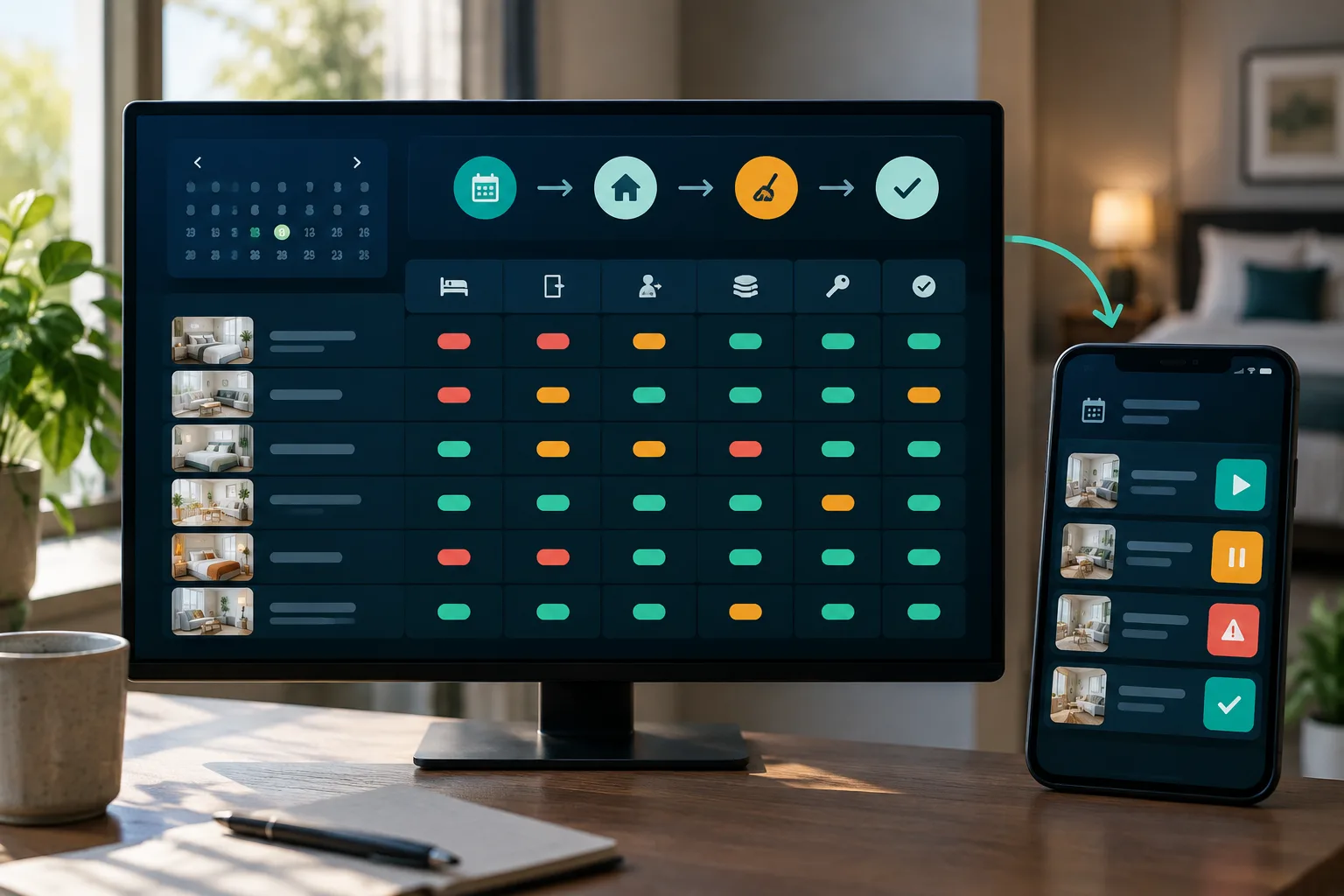
A same day turnover is a checkout and check in on the same calendar date. It should always sit above flexible cleans, owner inspections and deep clean add ons unless a person deliberately overrides it.
Triage same day turns by risk:
| Risk factor | Why it matters | Action |
|---|---|---|
| Same day arrival | No recovery day | Assign first and confirm acceptance |
| Large house | More rooms and more linen | Earlier checkout and later check in |
| Laundry on site | Dryer cycles can trap the clean | Use spare linen sets |
| Hot tub or pool | Extra checks and chemicals | Add specialist task |
| Pet stay | Higher hair and odour risk | Add time and inspection photos |
| Previous problem guest | Higher mess or damage risk | Send lead cleaner or inspector |
| VIP owner property | Reputation risk | Require final inspection |
Same day rush work often costs more because the window is fixed and the cleaner carries more risk. Clean Estimator notes that same day turns need confirmed checkout time, smart lock or lockbox access, exact next check in time, backup cleaner cover and extra linens, in its same day turnover cleaning guide.
For multiple turnovers one day, assign in this order: red same day arrivals, large units, units with laundry on site, properties farthest from the cleaner’s next job, then flexible cleans.
Keep one named backup cleaner per zone. Backup is not a vague promise. It is a person who has access notes, can see the task and has agreed the pay terms before the emergency.
How to stagger checkout and check in times
Do not give every property the same window just because it is tidy on the calendar. Stagger by property type, cleaner route and owner agreement.
A practical pattern is: larger homes get the earliest checkout the platform allows and the latest check in you can sell honestly. Smaller flats in dense buildings can carry tighter windows because travel is lower and linen stock is easier to standardise.
Airbnb’s default, where no times are specified, is 3pm check in and 11am checkout, according to Airbnb’s early check in help page. You can set your own times where the platform allows, but never promise early check in until the cleaner has marked the unit ready.
Hi {first name}, thanks for asking. We will try, but I cannot promise early check in until housekeeping has finished and the property has passed inspection. I will message you as soon as {property name} is ready. Your guaranteed check in time remains {listed check in time}.Hi {first name}, thanks for checking. We have housekeeping scheduled straight after checkout because the next guest arrives at {next check in time}. The latest checkout we can offer today is {approved time}. If that changes, I will let you know before {decision time}.Paid early check in should only be charged after readiness is confirmed. If you sell it automatically, you have sold cleaner capacity you may not have.
Cleaner capacity planning for a portfolio
Listing count is a poor capacity measure. A block of small flats near one linen cupboard is easier than fewer large houses spread across a city.
Start with time bands from room count, then correct them with real data. Airbnb’s cleaning guidance gives a broad benchmark of about 45 minutes per room, from its cleaning quick start guide. For planning, record each unit as small, medium, large or specialist, then add travel, linen model and inspection.
Use this cleaner capacity formula:
Confirmed cleaner hours minus travel and breaks, divided by measured task hours, equals safe jobs today.
If cleaner capacity exceeds confirmed hours, escalate before midday. The escalation rule is: stop accepting early check ins, move flexible cleans to tomorrow, assign backup cleaners, offer luggage drop, then block unsafe same day arrivals where your booking rules allow.
Worked drill: a 12 unit day has 7 checkouts, 5 same day arrivals, 3 cleaners, one late checkout and one owner requested deep clean. The answer is not to split the jobs evenly. Put the 5 same day arrivals first, move the deep clean behind them unless the owner has paid for priority, give the late checkout unit to the cleaner closest to it, and keep one cleaner floating until every red job is started.
At portfolio scale, move from individual cleaner relationships to zones, lead cleaners and inspection rules. The lead cleaner watches quality. The dispatcher watches deadlines. The owner manager watches exceptions and cost approvals.
The cleaner’s daily list template
Cleaners should not see the whole portfolio calendar. They need today’s accepted jobs, in route order, with only the details that help them finish correctly.
Date: {date}
Cleaner: {cleaner name}
Emergency contact: {phone number}

Job one
Property: {property name}
Address: {address}
Access: {code or key note}
Checkout: {checkout time}
Guest ready deadline: {ready deadline}
Beds: {bed setup}
Linen: {linen count and location}
Restock: {items to check}
Photos required: beds, bathrooms, kitchen, living area, entry, issue photos
Notes: {guest or owner notes}
Status steps: Accepted, On way, Started, Issue, Ready for inspection, Ready for guest
Cleaner acceptance matters. An assigned job is not the same as an accepted job. Silent calendar entries get missed when cleaners are ill, driving, overbooked or simply did not see the update.
YourFrontDesk builds a housekeeping list from checkouts, with every channel on one calendar and the system in the middle. For operators who want to see the flow before changing process, use the instant demo of the cleaning schedule workflow or read how YourFrontDesk turns bookings into daily tasks.
What each turnover task should include
Do not turn this article into a room by room checklist. The task should link to one. If you need that detail, use our Airbnb cleaning checklist for cleaners.
Each turnover task should include the booking, cleaner, access, linen plan, room checklist, restock list, maintenance checks, proof photos and final status.
Required proof photos should cover beds, bathrooms, kitchen, living area, entry, thermostat or lock where relevant, damage before cleaning and final staged photo. Airbnb’s cleaning quick start guide includes checking room by room guidance, noting maintenance issues and noting cleaning products or disinfectants that need replenishing, in its official cleaning resource.
This matters more from 20 November 2026. Airbnb’s reasonable house rules policy applies to reservations booked on or after that date and says hosts are generally not allowed to ask guests to complete tasks that require significant time or effort, or would typically be performed by a cleaner, including stripping beds, taking trash offsite, or washing and putting away dishes, in Airbnb’s reasonable house rules policy. Build the schedule as if the cleaner performs the professional reset.
Exception handling on turnover day
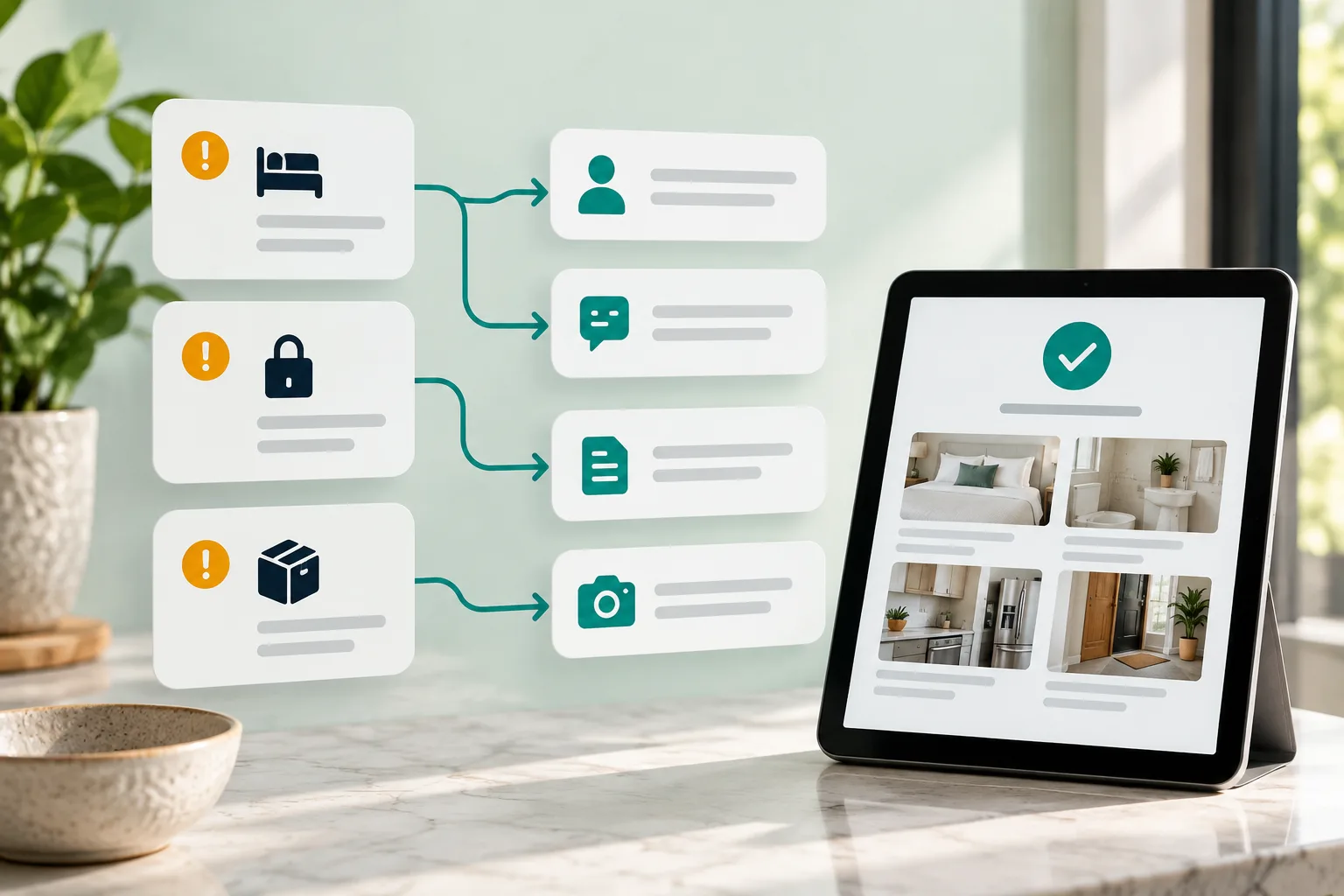
Write the decision rules before the day goes wrong.
Late checkout: guest contact confirms departure time, dispatcher moves cleaner route, guest manager refuses early check in for the next guest until readiness is confirmed.
Early arrival: never give access to an uninspected unit. Offer luggage drop only if safe, staffed and not in the cleaner’s way.
Cleaner sick: dispatcher calls backup, moves flexible work, marks any red same day task as at risk and tells guest manager the new ready estimate.
No access: cleaner posts an issue status with a photo or note, dispatcher contacts building, owner or keyholder, and the clock starts.
Damaged linens: use spare set, photograph damage before washing, record against the booking, and add replacement cost for owner review.
Excessive mess: cleaner photographs before work, dispatcher approves extra time, guest manager prepares any platform report if needed.
Low supplies: cleaner logs stock below par during the turn, not after checkout day is over.
Use a risk ladder. Delay under 30 minutes means internal watch. Delay over 30 minutes means guest manager prepares a message. Delay past check in means manager approval for compensation, relocation support or alternative access plan.
Record every exception against the unit and booking. That protects owner statements and shows which rules need changing.
Use gap nights and minimum stays to reduce pressure
Not every cleaning problem should be solved by hiring more cleaners. Some should be solved by availability rules.
Airbnb lets hosts set preparation time between reservations and gives examples such as requiring a 48 hour window for enhanced cleaning, in Airbnb’s preparation time guidance. Airbnb also says hosts can set minimum night stays and custom trip lengths to fill gaps, in its availability settings guidance.
Use those controls deliberately. Block same day arrivals for large houses in peak periods. Allow same day turns for studios close to your cleaner base. Use direct booking rules and pricing to fill safe gap nights rather than creating impossible turns.
The pricing decision and the cleaning decision are linked. If a one night stay creates a same day clean with no buffer, the rate needs to cover the operational risk or the booking rule needs to change. YourFrontDesk includes a pricing engine that reads booking pace and gap nights, and you can see how that fits with short let management for hosts and property managers.
Airbnb cleaning schedule software versus spreadsheet
A spreadsheet can work when you have a few simple units, one cleaner and no last minute booking movement. It becomes risky when the schedule needs live booking changes, cleaner acceptance, status visibility and proof.
| Option | Best fit | Main risk |
|---|---|---|
| Spreadsheet | Simple portfolio with low change volume | Manual edits and missed updates |
| Shared calendar | Basic visibility | No proof, no acceptance and weak notes |
| Cleaning app | Cleaner tasks and photo proof | May sit apart from owner reports and booking operations |
| Property management workflow | Larger portfolios with owners, channels and teams | Needs process discipline |
For small portfolios, a spreadsheet plus shared calendar may be enough if one person owns it every day. For growing portfolios, live booking sync, automated task creation, cleaner acceptance, photo proof and exception tracking become safety features, not nice extras.
For larger operations, scheduling should sit inside a broader operating workflow with owner reports, role permissions, guest communication and date change handling. That is where YourFrontDesk fits: every channel on one calendar, housekeeping list built from checkouts, owner reports showing revenue after commission and costs per unit, and refunds, complaints and date changes going to a person with a drafted reply.
Next steps
Audit your current process against three questions. Does every checkout automatically create a task? Can a cleaner accept, update and prove the clean without messaging screenshots? Can your team see risk before the guest arrives?
If the answer is no, start with the daily board above, measure cleaner capacity for two weeks, then move the workflow into a system that reads live bookings. To see the operating flow, visit the YourFrontDesk instant demo.
What people ask next
How do I schedule cleaning for an Airbnb?
Create a turnover task from every checkout, then assign it to a cleaner with the next check in deadline, access notes, linen needs and proof photos. For one listing, a calendar may work. For several properties, use a daily dispatch board built from live booking data.
What is an Airbnb turnover cleaning?
Airbnb turnover cleaning is the reset between guests. It normally includes stripping and replacing linen, cleaning bathrooms and kitchen, restocking essentials, checking for damage, staging the property and confirming it is ready for the next guest.
How long does an Airbnb turnover clean take?
It depends on room count, bathrooms, laundry model, guest condition, travel and inspection. A better method than guessing is to time each property for several normal turns, then schedule from the largest likely clean rather than the easiest one.
What should be included in an Airbnb cleaning checklist?
A checklist should cover bedrooms, bathrooms, kitchen, living areas, entry, supplies, linen, maintenance checks and final staging. For managers, the checklist should sit inside a scheduled task with deadline, cleaner, access notes, status and proof photos.
What is the best app for Airbnb cleaning schedules?
The best app is the one that pulls from live bookings, creates tasks from checkouts, lets cleaners accept work, tracks status and stores proof of readiness. If you manage owners, it should also connect cleaning costs and exceptions to owner reporting.
Can you do same day Airbnb turnovers?
Yes, but only when the cleaning window, cleaner capacity, access, linen and inspection buffer all work. Same day turns should be prioritised before flexible cleans and should have backup cleaner cover.
How many linen sets do you need for an Airbnb?
A common operating model is one set on the bed, one clean spare set ready for the next turn and one set in laundry. Larger homes, hot tubs, sofa beds and off site laundry usually need more buffer.
Should I block a night between Airbnb bookings?
Block a night when the property is large, remote, hard to access, dependent on on site laundry or repeatedly failing same day windows. For smaller flats near cleaners, same day turns may be safe if the process is measured and proven.