Airbnb Change Door Code Guide
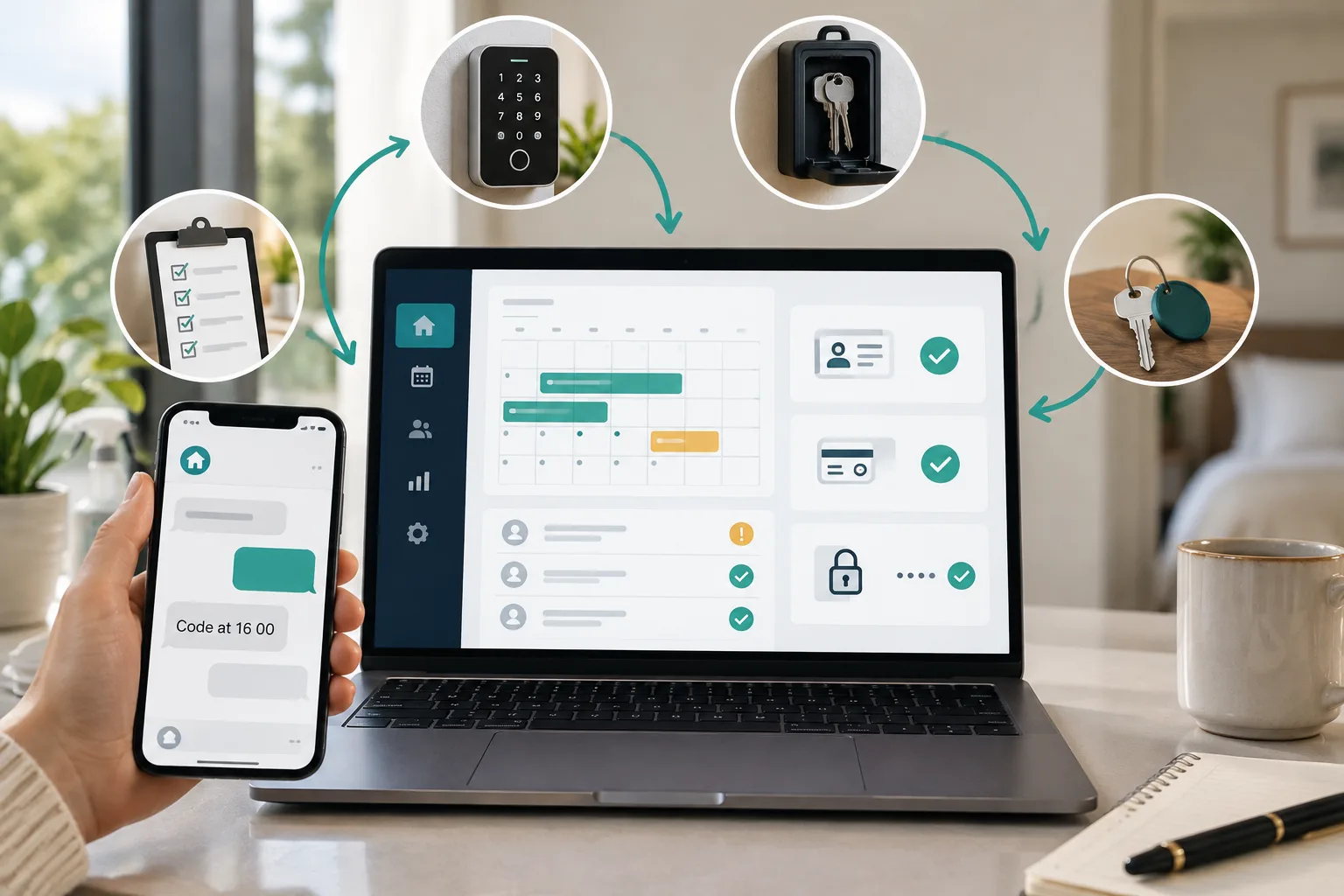
Every Airbnb stay should have its own door code, active only for the booked stay and backed by a clear failure plan. This guide gives small hosts a practical operating process for manual keypads, lockboxes, connected locks and PMS managed locks.
The short version
- Change the Airbnb door code for every reservation, even if you only host one unit.
- Send general arrival information early, but hold the exact code until payment, ID and readiness checks are complete.
- Random per stay codes are safer than using the unit number, street number or last four digits of a phone number.
- Connected smart locks can automate code creation, but hosts still need to check status, battery, backup access and edge cases.
- Cleaner, co host, owner and maintenance codes should be separate from guest codes and audited regularly.
If you want to airbnb change door code safely, the rule is simple: every reservation gets its own guest code, active only for that stay. That applies whether you run one spare flat, several short let apartments, a manual keypad, a lockbox, an Airbnb connected smart lock, or a door code lock managed by your booking system.
Airbnb says each booking guest should receive a unique access code for self check in, and its connected smart lock feature creates unique guest codes for confirmed bookings that are active only during the trip, according to Airbnb self check in guidance and Airbnb connected smart lock guidance. This article turns that platform advice into a working operating procedure for hosts with 1 to 10 units.
Why you should change the Airbnb door code after every stay
A shared code feels harmless until the wrong person still has it. Old guest re entry, an early arrival before the cleaner has finished, an extra visitor who was sent the code, or a cancelled booking that still knows the lockbox number can all become a security problem and a review problem.
The safest standard is one guest code per reservation, not one code per unit. The code should not work before the booked check in time, and it should stop shortly after checkout. Airbnb connected locks send codes before arrival, but Airbnb says those codes only become active at check in and expire after checkout, as explained in Airbnb guidance on how smart lock codes are shared.
Small hosts often have mixed access. You may have a shared building door, a flat door keypad, and a physical key in a lockbox. Treat each layer differently. The guest code is temporary. The cleaner code is separate. The building code is sensitive shared information. The emergency key is a backup entry method, not a normal check in method.
The code is not the welcome message, it is controlled access to the property.
The safest door code workflow in one table
The mistake many hosts make is sending everything at once. You can send useful arrival information early without sending the exact entry code. Keep every decision inside Airbnb messages where possible, so there is a clear record of what was sent and when.
Airbnb says guests automatically receive check in instructions 24 to 48 hours before check in on its self check in page, and connected smart lock codes are also visible in guest trip materials, depending on the setup, through confirmation email, Airbnb messages and the Trips tab, according to Airbnb self check in guidance and Airbnb smart lock code sharing guidance.
| Stage | Timing | Host action | Message to guest | What not to send yet |
|---|---|---|---|---|
| Booking confirmed | Immediately | Confirm dates, guest count and arrival window | Welcome, parking, travel notes | Exact door code if checks are missing |
| Payment or ID pending | Until cleared | Check reservation status and any required ID | We will send access once your reservation is fully confirmed | Code, lockbox number, building master code |
| 48 hours before check in | Two days out | Prepare code and review risk flags | Arrival guide and reminder of rules | Code if cleaning or checks are incomplete |
| Cleaning complete | After turnover | Delete old code, add new code, test it | Your check in details are ready | Early access promise unless the lock window is set |
| Check in time | At start time | Confirm code is active | Exact code and entry path | Cleaner, owner or maintenance code |
| During stay | Stay period | Monitor lock issues and messages | Help if the code fails | Extra backup codes unless needed |
| Checkout | Checkout time | Let code expire or remove it | Checkout reminder | New guest code |
| After checkout | Same day | Audit old codes and reset backup if used | Thank you message | Any future access detail |
Choose your setup smart lock, keypad, lockbox or PMS
There is no perfect setup. Choose the one you can run without missing steps on a busy Saturday.
For 1 unit, a manual keypad can be fine if you have a strict checklist. For 2 to 5 units, a smart lock saves travel time and reduces missed code changes. For 6 to 10 units, a PMS managed smart lock or front desk workflow becomes more important, because back to back arrivals and multiple channels create overlapping access risks.
Airbnb direct smart lock connection is brand and model dependent. Airbnb lists compatible Schlage, August and Yale locks for direct connection in the United States and Canada, and says eligible hosts can connect one compatible smart lock per listing, according to Airbnb connected lock eligibility and model guidance. If you use a PMS smart lock connection, Airbnb says the PMS creates the reservation code and Airbnb transmits it to the guest, but Airbnb does not have real time lock status, cannot directly manage the codes, and only one smart lock code per listing is shared through that integration, according to Airbnb PMS smart lock guidance.
Manual keypad: low cost, good for 1 unit, but easy to forget on same day turnovers. Lockbox: good backup, but weaker as the main method because the key can be copied. Airbnb connected smart lock: good for simple listings with one main lock, but you must know the code statuses. PMS managed smart lock: best where you take Airbnb, Booking.com, Vrbo, Expedia and direct bookings, but you need one calendar of truth.
How to generate a good Airbnb door code
Use a random per stay code where your lock allows it. Most hosts should use 4 to 6 digits only if the lock requires that range, and longer where the lock supports it and guests can still enter it easily. Schlage Encode programming allows a user code length from 4 to 8 digits, according to Allegion Schlage Encode programming guidance. Yale support also describes 4 to 8 digit entry codes and recommends a separate daily entry code rather than using the master code, in Yale entry code guidance.
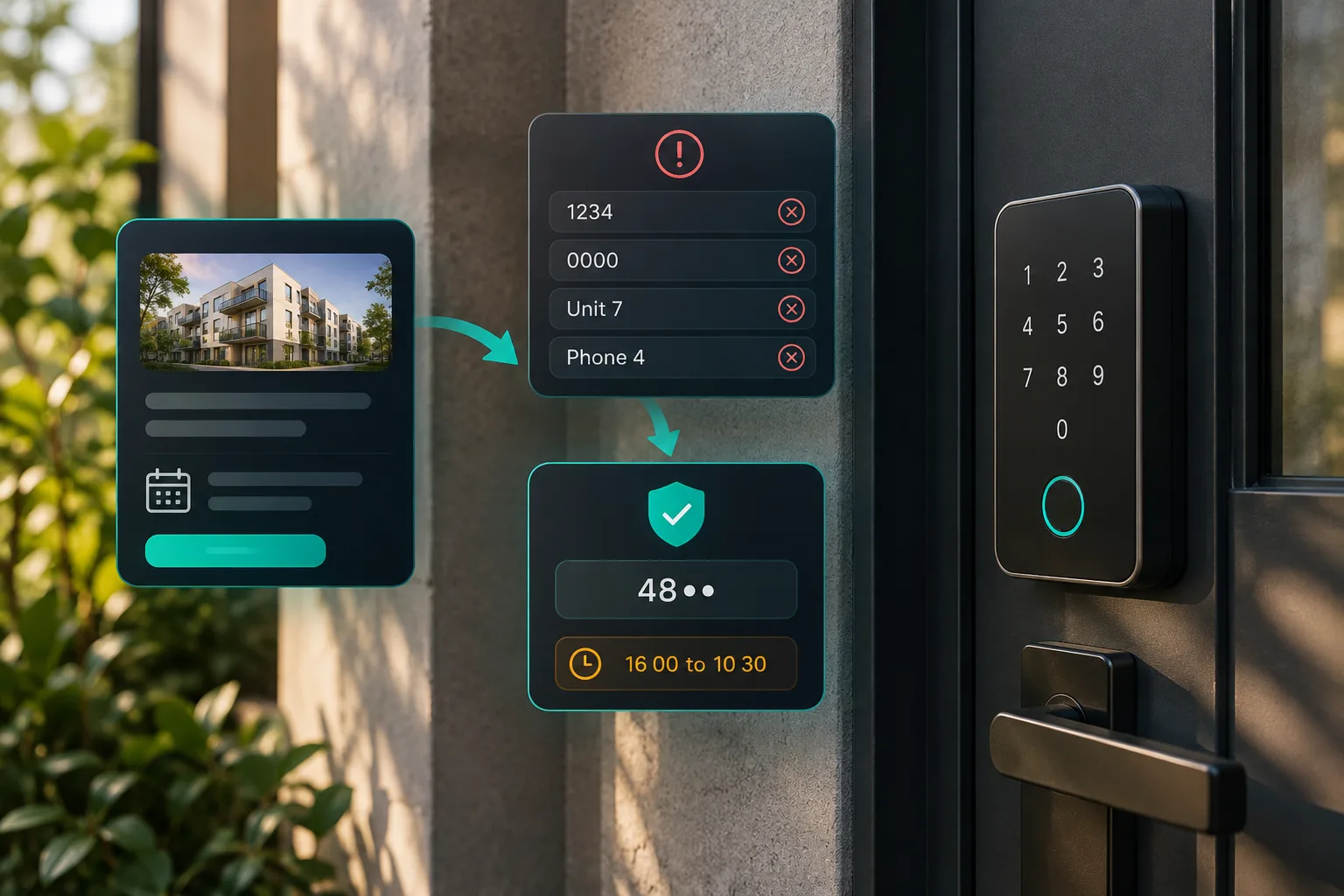
Avoid 0000, 1234, 2580, repeated digits, the flat number, the street number, birthdays, checkout dates and anything visible from the booking. Do not use the cleaner code as a guest code.
Airbnb connected locks are different. Airbnb says every new guest receives a unique automatically generated 4 digit code when a compatible smart lock is connected, and hosts cannot customise those guest codes, according to Airbnb code sharing guidance and Airbnb code management guidance.
The airbnb suggested door code needs special care. Airbnb says it provides the last 4 digits of the guest real phone number on the reservation details page and tells software users to use the suggested door code rather than the phone field in their software, according to Airbnb temporary phone number guidance. That is convenient, but a random per stay code is stronger where your lock and process allow it. Privacy regulators also tell businesses to keep only the data they need, as set out by the FTC guide to protecting personal information and the ICO data minimisation guidance.
When to send the door code without risking early or unpaid access
Send the route, parking, wifi note and arrival guide early. Hold the exact Airbnb door code until the booking is cleared and the unit is actually ready.
Do not send the code yet if payment is not complete, Airbnb ID verification is pending, local registration is missing, required house rules acknowledgement is outstanding, a deposit or pre authorisation outside Airbnb is not complete where your rules and local law allow it, or you suspect a third party booking. Airbnb says a reservation can be pending while identity verification is incomplete, and may be automatically cancelled if the guest misses the specified deadline, according to Airbnb pending reservation guidance. Airbnb also says every booking guest must complete identity verification for stays, and that a reservation is pending during that process, according to Airbnb identity verification guidance.
For low risk stays, send the exact code 24 to 48 hours before arrival, after checks are clear. For same day bookings, send it only once payment, ID and cleaning are complete. For high risk arrivals, send it close to check in time. Never send a code before the previous guest has checked out and the property is secured.
If you approve early check in, change the code activation window first. Airbnb says hosts can adjust check in or checkout times for individual reservations and the connected guest code will update to match, according to Airbnb smart lock code management guidance.
How to change an Airbnb door code manually between guests
Use the same sequence every time.
- Create the new guest code.
- Set the active start and end time if the lock supports schedules.
- Delete or expire the previous guest code.
- Test the new code at the door, not just in the app.
- Record it in a controlled log.
- Send the Airbnb door code message.
- Confirm the cleaner, co host and owner codes still work.
- Check the backup access method.
Worked example: Guest A checks out at 10:00. Cleaner arrives at 10:30. Guest B checks in at 16:00. The new code is created after Guest A leaves, tested after cleaning, and set to activate at 15:55. If the booking ends at 10:00 on the checkout date, the code expires shortly after checkout, using the shortest safe buffer your lock allows.
Use a log, but do not keep codes in an open shared note that everyone can see forever.
Listing: {listing name}
Guest initials: {initials}
Reservation ID: {reservation ID}
Code: {code}
Active from: {date and time}
Active until: {date and time}
Sent in Airbnb at: {date and time}
Tested by: {name}
Backup method checked: {yes or no}
Old code removed by: {name}
Notes: {anything unusual}
How Airbnb connected smart lock codes work
If you connect a compatible smart lock directly to Airbnb, Airbnb creates and sends a unique code to confirmed guests. Airbnb says codes are sent by email and Airbnb messages and are always available in the trip guide, according to Airbnb connected smart lock guidance.
Hosts still need to monitor the status. Airbnb lists statuses including door code shared, active today, active, pending, backup active and no door code, in Airbnb code status guidance. Pending may mean the lock is offline because of connectivity, battery or another issue. No door code may mean the lock is disconnected or the code was removed.
You can change reservation check in and checkout times, and you can set the code expiry buffer after checkout. Airbnb says the default expiry is 30 minutes after checkout, and hosts can adjust that window from 15 minutes to 2 hours after the listing checkout time, according to Airbnb code management guidance. You cannot customise the Airbnb generated guest code. Airbnb also warns that manually changing a connected guest code in the lock app may revert when it syncs with Airbnb.
For cancellations, Airbnb says the guest code is automatically removed when a reservation is cancelled, or removed when the lock comes back online if it was offline at the time, according to Airbnb smart lock cancellation guidance. Still, if you run manual or mixed access, revoke the code yourself and test it.
Message templates for sending Airbnb door codes
Use scheduled messages and quick replies, but make them conditional. Airbnb says the entry code field can be used in scheduled messages or quick replies for connected smart locks, according to Airbnb smart lock message guidance. For broader message planning, see our guide to Airbnb automated messages from booking to review and Airbnb check in message templates.
Do not include permanent building codes, master codes, cleaner codes, owner codes, or emergency lockbox codes in a standard guest template.
Hi {first name}, thanks for booking {listing name}.

We have your arrival date as {arrival date} and check in from {check in time}. I will send the exact door code once the reservation is fully confirmed, the required checks are complete and the apartment is ready for arrival.

For now, your parking and arrival notes are: {parking or route note}.

Please keep all access messages in Airbnb so everything is recorded in one place.Hi {first name}, your check in details are ready.
Address: {address}
Entry path: {gate or building directions}
Door code: {guest code}
How to open: {keypad steps}
How to lock: {locking steps}
The code works from {activation time} on {arrival date}. If it does not work, send a photo of the keypad and the exact error shown, then call {urgent contact method} if you are outside the door.Hi {first name}, for security I have changed the door code for {listing name}.
Please stop using the previous code. Your new code is {new code}. It works from {time} until {checkout time and date}.
No other part of your stay has changed. Please keep this code within your booking party only.Worked examples for common host situations
Last minute booking after 20:00 with ID pending: send a welcome message, but do not send the code. Tell the guest access follows once Airbnb confirms the reservation and required checks are complete.
Cleaner delay: send an apology, confirm the new ready time, and hold or adjust the code activation. Do not let the guest enter while beds are stripped or a previous guest item is still inside.
Early check in paid and approved: adjust the booking or individual check in time first, then confirm the code will work at the new time. This matters for connected locks because the activation window controls the real access.
Guest extends by one night: process the trip change in Airbnb first. Airbnb says when a reservation is extended or shortened, the code duration updates when the change is made through the proper reservation flow, according to Airbnb smart lock code management guidance.
Cancellation after code sent: delete or revoke the code, check that it no longer works, and change the lockbox if a key code was sent. Do not rely on memory.
Backup access plan if the code fails
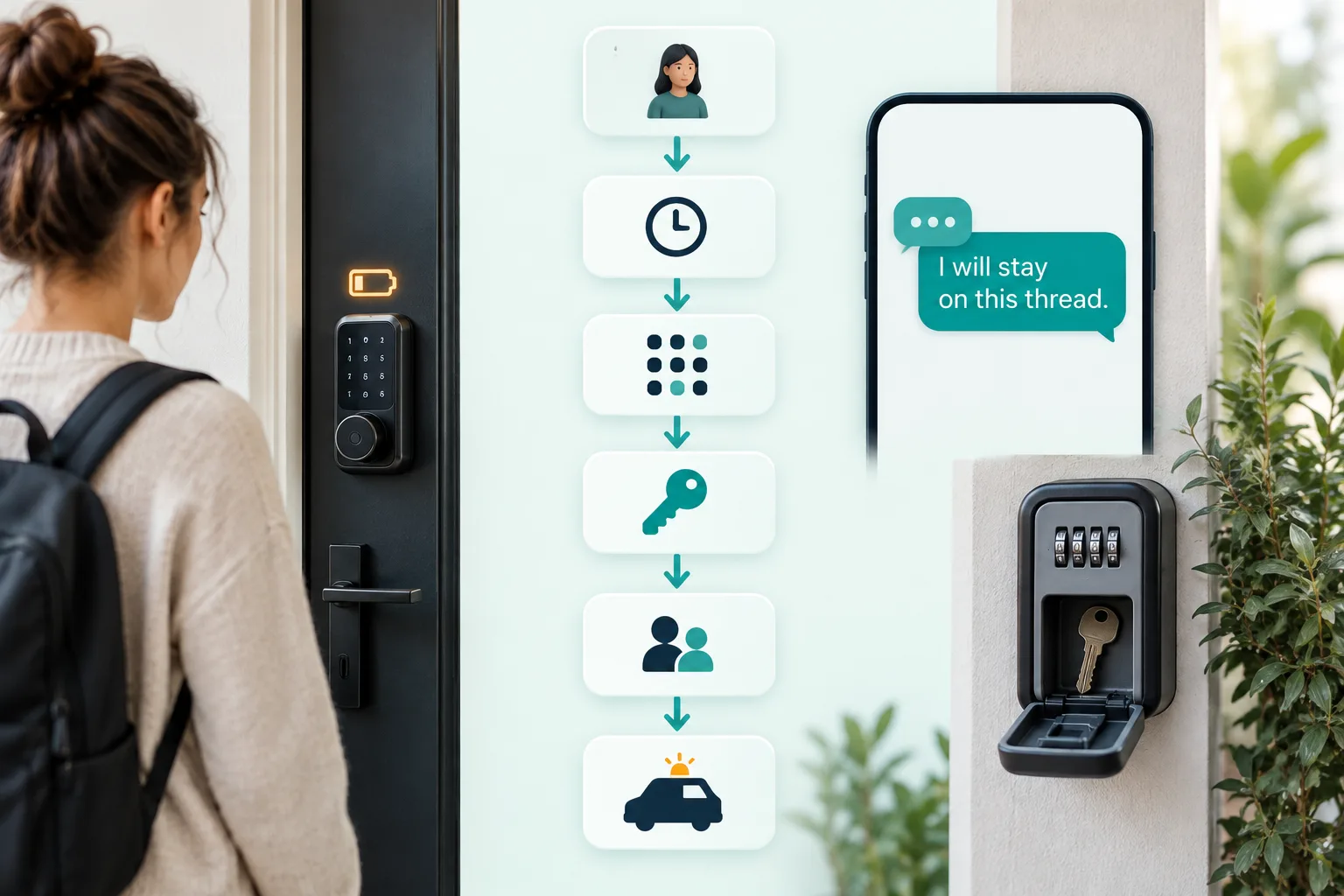
A backup code is not the same as a backup entry method. Airbnb says backup codes can help when a smart lock is offline but still usable, while a backup entry method is for a lock that is not usable, such as dead batteries or a broken keypad, in Airbnb backup code guidance.
Use this order.
- Ask the guest to send a photo or short video of the keypad.
- Check the code, date, time zone, reservation status and lock battery.
- If the lock is usable, issue a backup code.
- If the keypad is dead, direct the guest to the lockbox key or other backup entry method.
- If that fails, send a cleaner, co host or manager.
- If nobody can attend, call a locksmith and keep the guest updated every 10 to 15 minutes.
For a full escalation process, use our Airbnb door code not working troubleshooting guide.
Hi {first name}, I am checking this now.

Please send a photo of the keypad and tell me whether it shows a light, sound or error. I am checking the code window and battery status.

Try this once: {backup code or retry instruction}. If that does not work within 2 minutes, use this backup entry method: {backup method}. I will stay on this thread until you are inside.
Security rules for cleaner, co host and owner codes
Do not run your business on one master code. Guest codes, cleaner codes, co host codes, owner codes, maintenance access and building access should be separate.
Cleaner codes should work only during turnover windows where your lock supports schedules. Maintenance codes should be created for the visit and removed when work is complete. Owner and co host codes should be audited, especially when staff change.
For 1 to 3 units, audit active codes weekly and after any unusual incident. For 4 to 10 units, audit after every turnover because one missed code can affect several same day arrivals. If maintenance needs access during an occupied stay, disclose it and coordinate the time through Airbnb messages. Do not give a contractor a guest code for convenience.
If you manage several channels, make one calendar the source of truth. Airbnb, Booking.com, Expedia, Vrbo and direct bookings must not create overlapping access windows. A channel manager or booking system can help, but only if every stay has a reservation ID, active window and audit trail.
Door code checklist before every check in
Use this before each arrival.
- Payment or booking status clear.
- Required Airbnb ID and local registration complete.
- House rules and guest count acknowledged.
- Previous guest code deleted or expired.
- New guest code created for this reservation only.
- Activation time matches the approved check in time.
- Expiry time matches checkout and buffer.
- Code tested at the actual door.
- Backup code or backup entry method ready.
- Airbnb door code message sent in Airbnb.
- Cleaner confirms property ready.
- Building code, cleaner code and master code not shared.
This is where YourFrontDesk fits naturally if you do not want to run the process by hand. It puts every channel on one calendar, uses one link per stay for payment, ID and the guidebook, and releases the door code at the chosen hour only after payment and ID. For small apartment operators, see tools for short let hosts and apartment managers, or review how YourFrontDesk works.
Next steps
Pick one access workflow and write it down. Then test it on the next real turnover: old code removed, new code active at the right time, backup ready, message sent through Airbnb, and cleaner confirmation received.
If you want the arrival, ID, payment and code release workflow handled in one place, see an instant demo of automated guest access workflows.
What people ask next
How do I change the door code for an Airbnb guest?
Create a new guest code for the reservation, set the active dates if your lock supports schedules, delete the previous guest code, test the new code at the door, then send it through Airbnb messages. Record who tested it and when.
Does Airbnb automatically send door codes to guests?
It can, but only with supported connected smart lock or PMS integrations. If you use a manual keypad, lockbox or mixed setup, you still need to create and send the code yourself.
When does Airbnb send check in instructions and door codes?
Airbnb check in instructions are generally sent 24 to 48 hours before check in. Connected smart lock codes may be visible before arrival, but they should only become active at the booked check in time.
What is Airbnb’s suggested door code?
Airbnb’s suggested door code is the last 4 digits of the guest real phone number shown in reservation details. It is convenient, but a random per stay code is usually safer where your lock allows it.
Can I send the Airbnb door code only after ID is confirmed?
Yes, for a manual or host controlled process you can hold the exact access code until the reservation and required checks are complete. Keep the explanation polite and send general arrival information first so the guest is not left uninformed.
Do Airbnb door codes expire after checkout?
Connected smart lock guest codes are designed to expire after checkout. For manual keypad and lockbox setups, the host must remove, change or expire the code as part of the turnover checklist.
What should I do if an Airbnb guest says the door code is not working?
Ask for a photo or short video of the keypad, check the code, time window and battery status, then issue a backup code or backup entry method. Keep the guest updated in the Airbnb message thread until they are inside.